DWF View
Read, measure, mark up and compare DWF, DWFx and DXF drawings on Mac, iPad and iPhone.

What it does
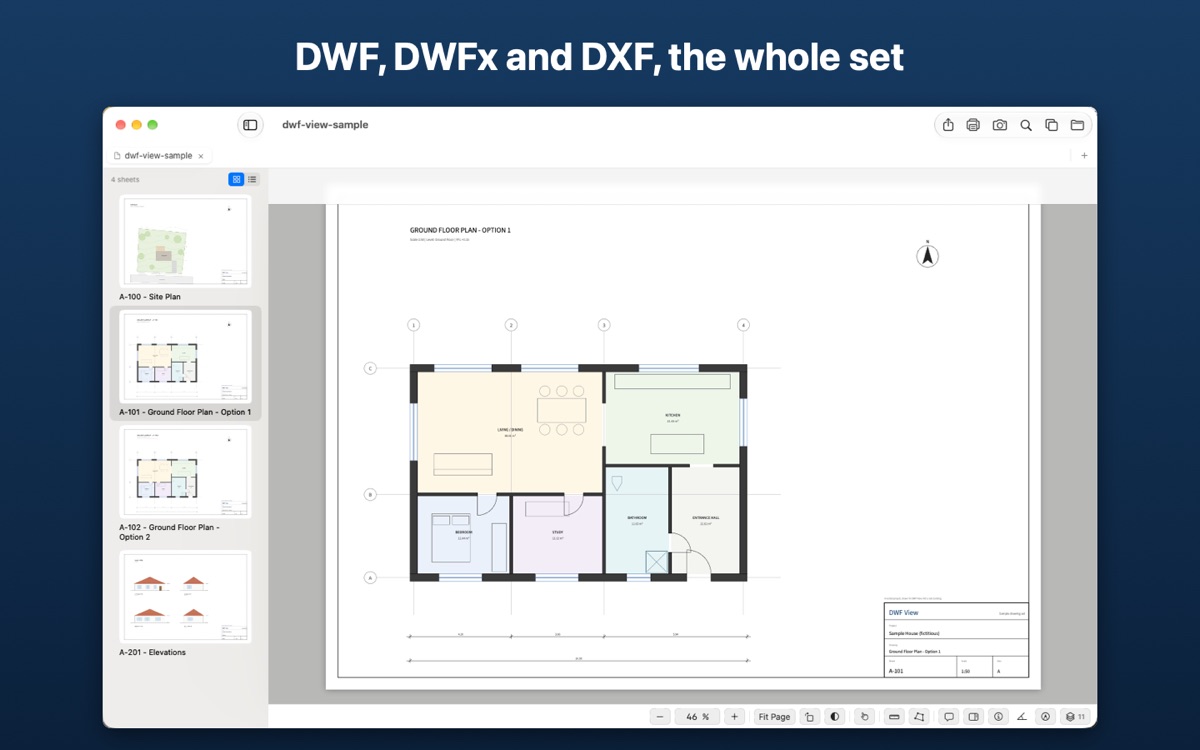
A drawing arrives as a DWF, a DWFx or a DXF file and has to be read, checked and answered. DWF View opens it on the Mac, the iPad or the iPhone, without AutoCAD and without Design Review, and keeps the whole set together: every sheet in a browser with thumbnails, at the paper size and scale it was issued at. Scanned pages inside a set open too.
It is built for the person who receives the drawing, not the one who drew it. Zoom, pan and rotate by gesture, trackpad or mouse; move between sheets with the arrow keys; find the drawing again from the recent files on the start screen. Reading is free, and stays free.
With Pro, the drawing becomes something to work on
Everything below is part of Pro, a single purchase shared across your Mac, iPad and iPhone. You can try all of it free for 14 days.
From the drawing's own scale
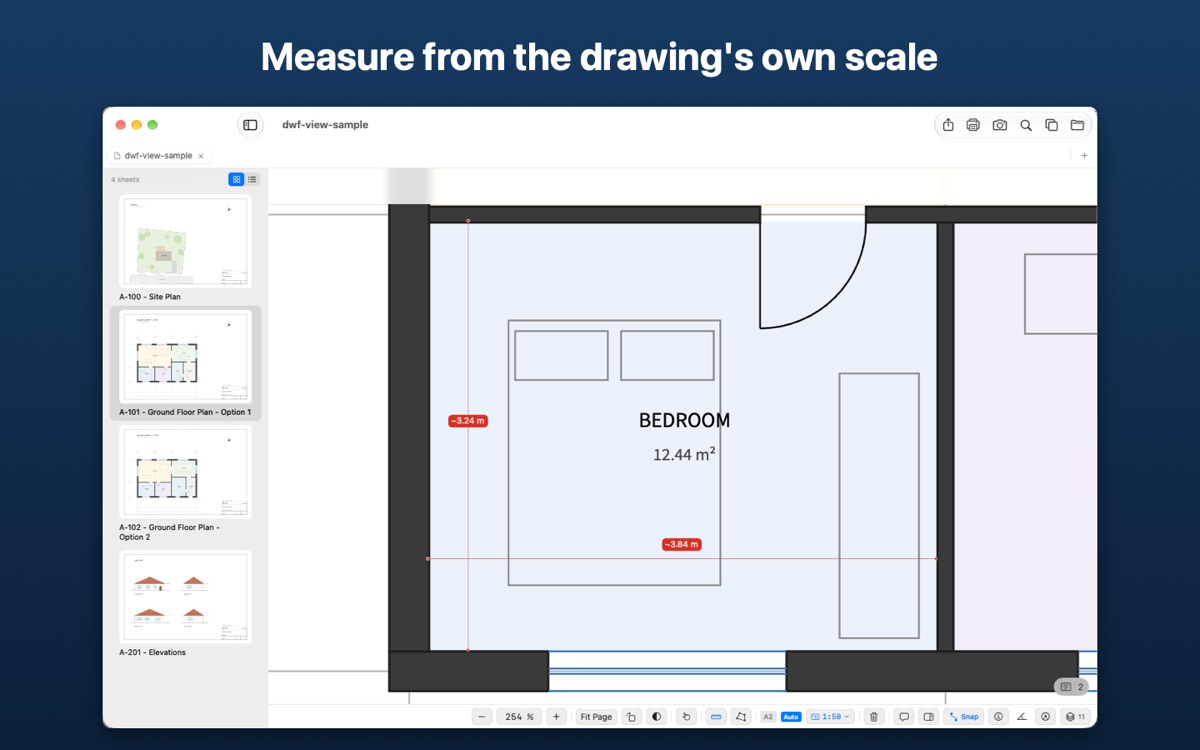
Distances, areas, angles, radii and counts, with snapping to the drawing geometry. The scale is read from the title block (1:100, or 1/4" = 1'-0"), in metric or imperial units. Where it is missing or wrong, calibrate against a dimension you know.
Markup and comments
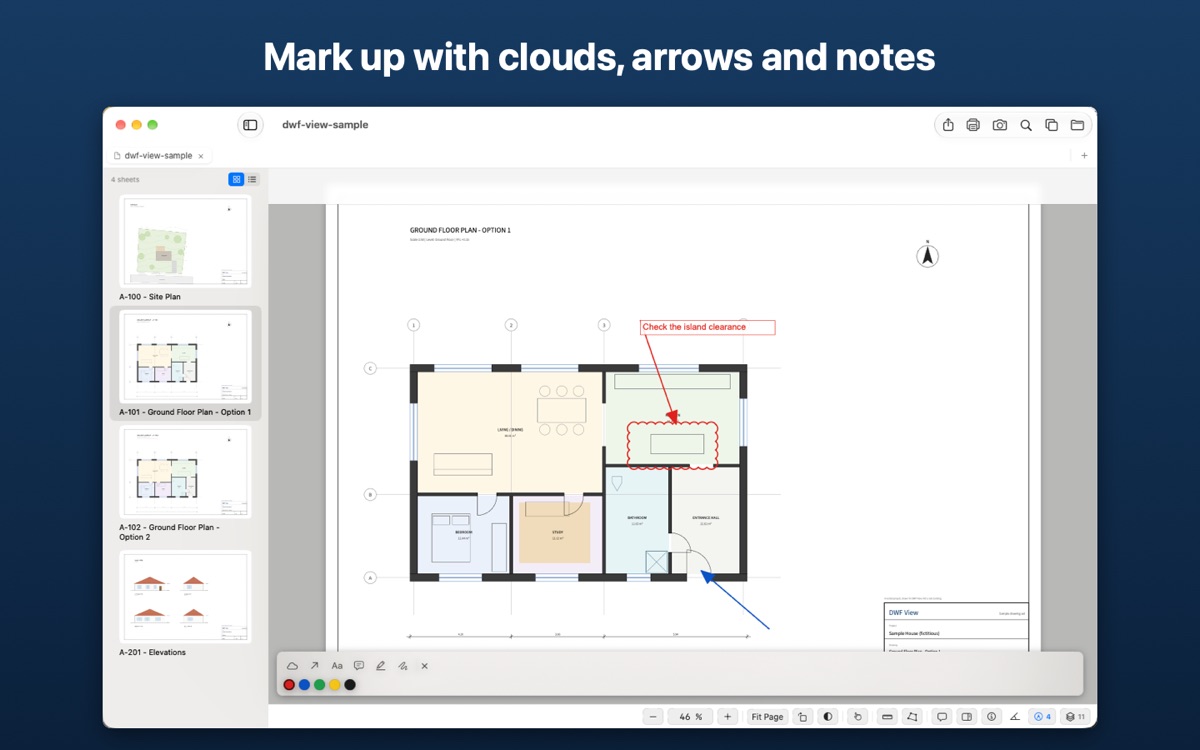
Revision clouds, arrows, callouts, notes, highlights and freehand. Comments sit on the sheet at the point they refer to, and export as CSV.
Two revisions, one view
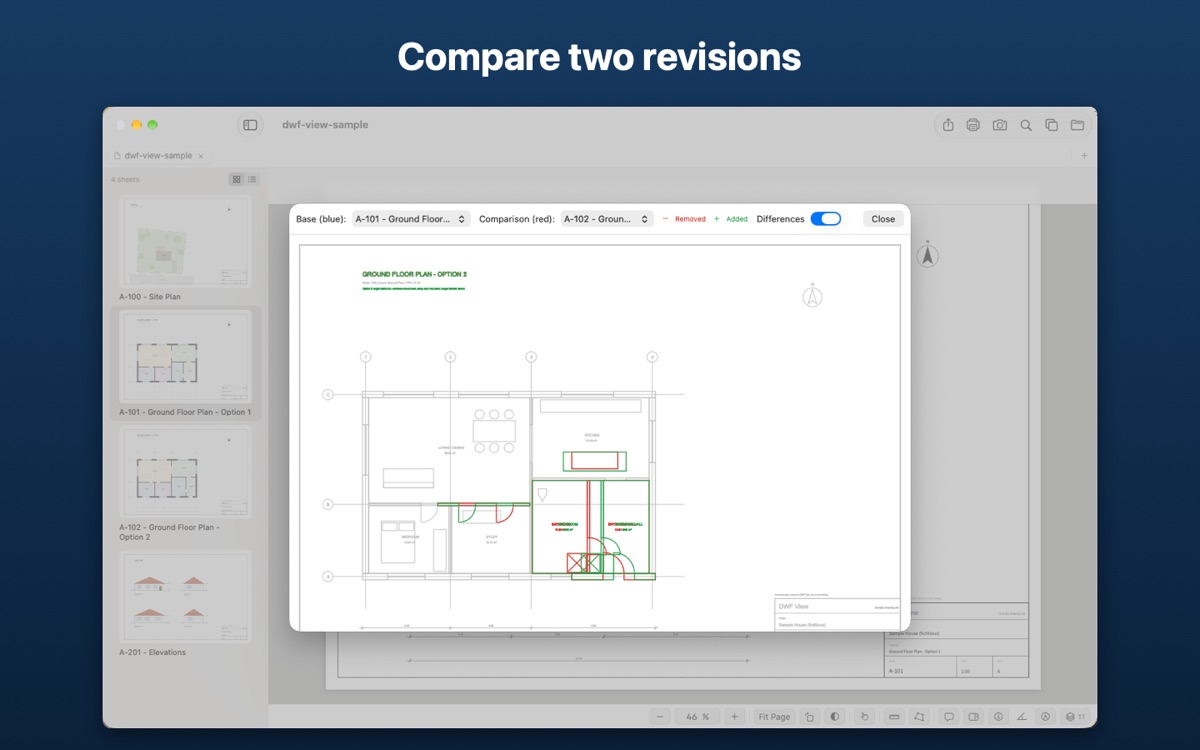
Lay one revision over the other and see what was added and what was removed. Available on Mac and iPad.
Layers and object data
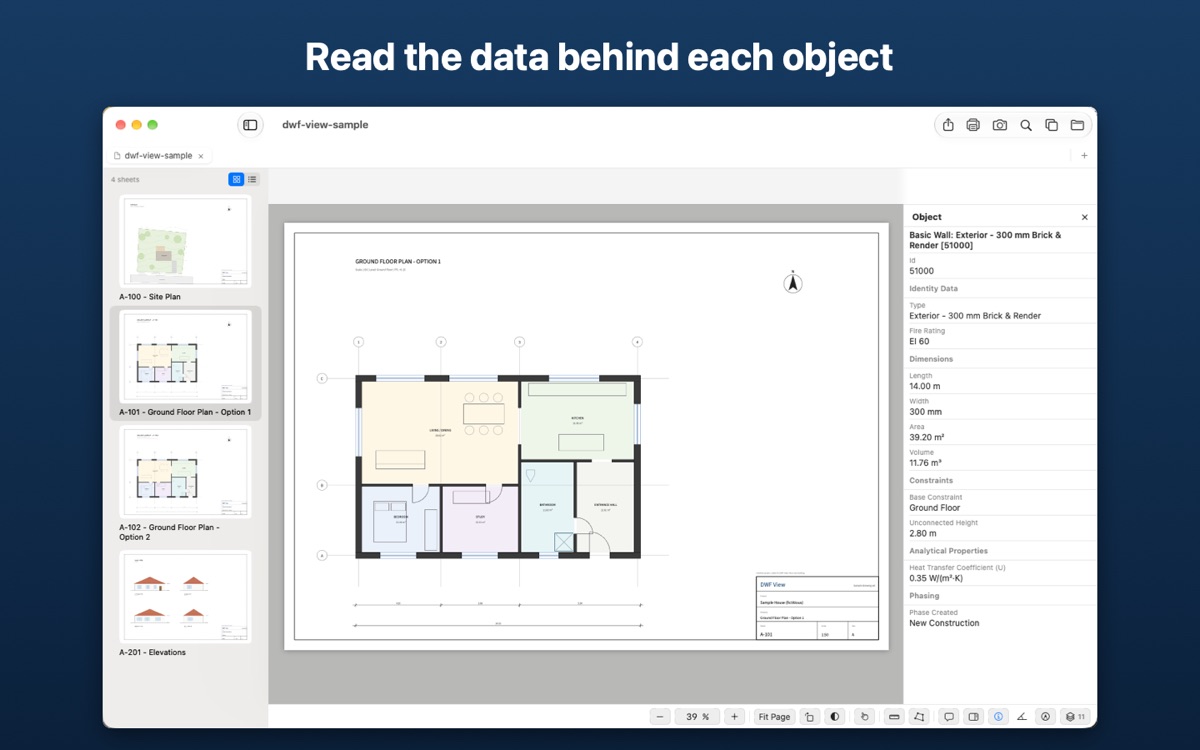
Switch CAD layers on and off, with an eye on each layer or "Only This Layer". Tap an object to read the data the CAD program gave it.
Search, tabs and sheets
Search the text of every sheet, keep several drawings open in tabs, rename and remove sheets, combine drawings and save the result as DWF or DWFx.
Export and print
PDF at the drawing's real paper size, PDF/A-2b for submissions, PNG, SVG and DXF (with the drawing's layers and images). Capture the current view, markup included, as an image to send. Print at the real size.
Free and Pro
Everything needed to open and read a drawing is free. Pro is a single in-app purchase, with no subscription, shared across your Mac, iPad and iPhone through your Apple Account.
Try every Pro feature free for 14 days. The trial is taken once per Apple Account, never renews and never charges, and when it ends, opening and viewing drawings stays free. Pro is a one-time purchase: €19.99 in Portugal, and the App Store's equivalent in other countries.
| Feature | Free | Pro |
|---|---|---|
| Free: open and read | ||
| Drawings open at once | One at a time | Several, in tabs |
| Open DWF, DWFx and DXF drawings | Yes | Yes |
| Check the digital signature of signed drawings (DWFx, .asics, .asice) | Yes | Yes |
| Multi-sheet sets, with sheet list and thumbnails | Yes | Yes |
| Zoom, pan and rotate by gesture, trackpad or mouse | Yes | Yes |
| Zoom to a rectangle; arrow keys to move between sheets | Yes | Yes |
| Recent drawings on the start screen | Yes | Yes |
| Heavy sheets open simplified, with "Show Everything" | Yes | Yes |
| Sheet list as names or thumbnails; dark sheet | Yes | Yes |
| App appearance: light, dark or system | Yes | Yes |
| Pro: work on the drawing | ||
| Measure distances, areas, angles, radii and counts, with snapping | No | Yes |
| Scale read from the title block (1:100, 1/4" = 1'-0"), metric or imperial | No | Yes |
| Manual calibration against a known dimension | No | Yes |
| Markup: revision clouds, arrows, callouts, notes, highlights, freehand | No | Yes |
| Comments on the sheet, exported as CSV | No | Yes |
| CAD layers on and off (an eye on each layer, "Only This Layer") | No | Yes |
| Object properties (the data the CAD program gave them) | No | Yes |
| Capture View: a picture of the screen, markup included | No | Yes |
| Compare two revisions and see what changed | No | Yes |
| Search the text of every sheet | No | Yes |
| Rename and remove sheets; save as DWF/DWFx; combine drawings | No | Yes |
| Export: PDF at real paper size, PDF/A-2b, PNG, SVG, DXF | No | Yes |
| No | Yes | |
Comparing is not available on iPhone; everything else works on Mac, iPad and iPhone.
What's new in version 1.4
- Drawings signed with Portugal's Chave Móvel Digital or Citizen Card, both DWFx files signed inside and the .asics and .asice files from Autenticação.gov: see who signed, when, and whether the drawing has changed since
- DXF export keeps the drawing's own layers, with the option to leave out the ones you switched off
- DXF now carries images, rotated text and condensed lettering as in the drawing
- Dotted lines now show, and DXF drawings opened in the app have their layers
- Exporting every sheet to DXF creates a folder named after the drawing; one sheet with images comes as a .zip
- Text in DWFx drawings keeps its original width and weight, even when the fonts embedded in the drawing are incomplete
In version 1.3
- Try every Pro feature free for 14 days
- The app in 9 languages, with a language setting of its own
- Recent drawings on the start screen
- Zoom to a rectangle; arrow keys to move between sheets
- Layers, comments and object properties side by side
- Layers with an eye on each one and "Only This Layer"; Capture View; dark sheet; light or dark appearance
- Imperial units, with scales such as 1/4" = 1'-0" read from the title block
- PDFs at the drawing's real paper size: an A4 sheet is an A4 page, where it used to come out a third larger
- Faster, more reliable export and print, with progress and a Cancel button
- Large DWFx sheets open up to ten times faster and complete; heavy sheets open simplified and keep your zoom when you show everything
- Scanned pages inside DWF sets now show, and sheet names keep their accents
- Choose the precision of measurements; values use your region's decimal separator (3,84 m in Portugal)
Formats and requirements
- Formats:
.dwf,.dwfxand.dxf(text DXF), including multi-sheet sets and older DWF files. - Does not open: a DWF that holds only a 3D model (the app says so), and binary DXF.
- Systems: macOS 14 or later, iPadOS 17 or later, iOS 17 or later.
- Languages: English, Portuguese (Portugal and Brazil), Spanish, French, German, Italian, Japanese and Korean. The app can use a language of its own, different from the device's.
- Units: metric or imperial, in feet and inches.
- Opening a drawing: from Finder or the Files app, from Mail, from any app that can share a document, or from within DWF View.
- Offline: every conversion, rendering, measurement and export happens on the device.
No drawing at hand? Try the sample drawing (DWFx) or its DXF version: an invented house, four sheets, with layers and object properties.
Common questions
Do I need AutoCAD or Design Review?
No. DWF View reads the files on its own, on Mac, iPad and iPhone.
Does it open digitally signed drawings?
Yes. DWFx files with the signature inside, and the .asics and .asice files that Portugal's Autenticação.gov produces when signing with the Chave Móvel Digital or the Citizen Card, open like any drawing, showing who signed, when, and whether the drawing has changed since. The check runs on the device and is free.
Is there a free trial?
Yes. Every Pro feature, free for 14 days, once per Apple Account. It never renews and never charges; if you don't buy, the app goes back to the free features and keeps your comments and markup.
What does Pro cost?
A single purchase, with no subscription: €19.99 in Portugal, and the App Store's equivalent in other countries. It covers your Mac, iPad and iPhone.
Is it one purchase for all my devices?
Yes. It is a single app for Mac, iPad and iPhone, and the Pro upgrade is shared across devices through your Apple Account.
How does measurement know the scale?
Measurement is part of Pro. The scale is detected from the drawing's title block, for example "1:100". When there is no title block, or the detected scale is wrong, Pro calibrates manually against a known dimension.
Do my drawings leave the device?
No. Files are processed entirely on the device and are never sent to a server.